
Guide to TikTok Proxy 2026: Types, Setup, and Best Practices
Learn exactly what a TikTok proxy is, which type is best for beginners, step-by-step setup for desktop and mobile, testing tips, and best practices to keep accounts stable.
Apr 17, 2026



Discover IPv4 vs IPv6: differences, 2025 adoption trends, decide whether should upgrade, how to test, enable and migrate safely for beginners.
The internet runs on Internet Protocol (IP) addresses—those unique numeric IDs that let devices find each other. Two major versions exist today: IPv4 (the old workhorse) and IPv6 (the long-term successor). This guide explains the key differences, why it matters for your daily online life, how to decide if you should upgrade, simple ways to check and enable IPv6, and tips to avoid common pitfalls.
Adoption status: Growing but uneven. Many networks prefer IPv6 where available, while IPv4 sticks around for compatibility. Most setups use "dual-stack" (both protocols together) for smooth transitions.
An IP address is a unique string of numbers for your device on the internet, ensuring data packets—small chunks of information—reach the right destination.
Launched in the early 1980s, it's the foundation of the modern internet. Uses a 32-bit system in dotted decimal notation, like 192.168.1.2, for about 4.3 billion unique addresses.
Developed in the late 1990s, it uses a 128-bit system in colon-hex notation, like 2001:db8::1, offering a staggering 340 undecillion addresses—essentially unlimited.
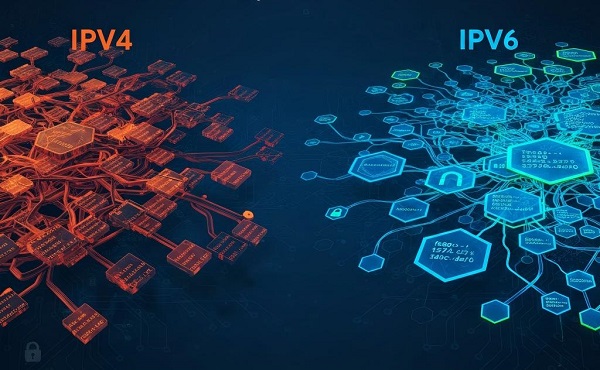
The internet's explosive growth—think billions of smartphones, smart home gadgets, and IoT devices—exhausted IPv4's address pool by 2011. IPv6 solves this scarcity and adds modern perks like automatic device addressing, hierarchical routing for efficiency, native support for quality of service (QoS) in streaming, and built-in security options. It doesn't fix every issue, but it removes scaling limits, making it essential for future tech like 5G/6G networks and AI-driven connectivity. For everyday users, this means simpler setups for home networks and potentially fewer headaches with things like online gaming or remote access.
| Aspect | IPv4 | IPv6 |
| Address length | 32-bit (~4.3B addresses) | 128-bit (vast, practically unlimited) |
| Notation | Dotted decimal (e.g., 192.0.2.1) | Hex colon (e.g., 2001:db8::1) |
| Header | Variable (20–60 bytes), checksum field | Fixed 40-byte base header, no header checksum |
| Fragmentation | Routers + sender | Sender only (Path MTU required) |
| Communication types | Unicast, multicast, broadcast | Unicast, multicast, anycast (no broadcast) |
| Auto-config | Manual / DHCP | SLAAC (stateless) / DHCPv6 optional |
| DNS records | A | AAAA |
| NAT necessity | Common (to share addresses) | Largely unnecessary (public addressing) |
| Security | IPsec optional | IPsec support built into protocol design |
IPv6 simplifies addressing and routing and reduces the need for address-sharing workarounds like NAT — but it also requires explicit firewalling and updated operational practices.
No or fewer port-forwarding hassles: Remote access, home labs, and some games/services work more easily because devices can have unique public addresses.
Plug-and-play for many devices: SLAAC lets many smart devices self-assign addresses and join the network without manual setup.
Cleaner networking stack for modern services: Less reliance on middleboxes can mean simpler troubleshooting and sometimes lower latency — but results depend on ISP routing and peering.
For example:
Streaming and Browsing: Can lead to faster loads on IPv6-enabled sites (e.g., video platforms) due to direct routing—no NAT slowdowns.
Gaming: Reduces lag in multiplayer games by simplifying connections; no port forwarding means easier setup for consoles or PCs.
Remote Work: Better mobility support keeps connections stable on the go.
Mobile Apps: If you're on Android or iOS, IPv6 is often preferred on cellular data for better battery life and speed—check your phone's settings for "IPv6" under Wi-Fi or cellular.
As of 2025, global IPv6 adoption is around 45%, up from about 43% in 2024. The US is at about 49%, France leads with around 85% (thanks to government mandates and providers), and India exceeds 77% due to mobile-driven growth. Mobile networks are a big driver, with many 5G/6G setups favoring IPv6 for efficiency.
Trends show steady acceleration: Factors like the IoT boom (billions more devices by 2030), AI-optimized networks, and rising cyber threats (favoring IPv6's security) will push adoption higher. We predict 50-60% global by 2027 and 60-70% by 2030, but IPv4 won't vanish—dual-stack will remain for compatibility. If you're in high-adoption areas like Europe, Asia, or on mobile, you might already experience smoother connections.
If your ISP supports native IPv6, yes—enable it via dual-stack for safety. If not, stick with IPv4 for now; it's still reliable. No extra costs for most home users, but businesses might face upgrade fees.
1. Online Quick Test
Search for “IPv6 test” and visit a free test site, it reports client & network IPv6 reachability.
2. On Your Device
Windows: Command Prompt > ipconfig /all—look for "IPv6 Address" under your active adapter.
macOS: Terminal > ifconfig or check System Settings > Network.
Linux: Terminal > ip -6 addr show.
Android/iOS: Settings > Wi-Fi/Cellular > Tap network > Look for IPv6 address (or use an app like "Network Analyzer").
3. Advanced Checks
Use ping -6 example.com or check DNS with nslookup -type=AAAA example.com.
Preparation: Backup your router config and note any manual port-forwarding or firewall rules.
1. Confirm ISP Support: Check ISP help pages or contact them. If no native IPv6, ask about tunnels.
2. Update Firmware: Ensure your router is up-to-date to avoid bugs; older firmware may have buggy or partial IPv6 implementations.
3. Router Settings: In the admin UI, locate IPv6 settings. Look for labels like: IPv6, Enable IPv6, IPv6 WAN Type, SLAAC, DHCPv6, 6in4, 6rd, DS-Lite. Set the WAN/IPv6 type per ISP guidance (often SLAAC or DHCPv6).
4. Firewall Rules: Always enable IPv6 firewall. Treat IPv6 as a new external interface — do not assume NAT provides protection. Allow established outbound traffic and explicitly configure any inbound rules you need.
5. Test: Use online testers and check apps/games.
6. Monitor: Watch logs for issues over a few days.
Dual-stack (recommended in most cases): run IPv4 and IPv6 in parallel. Clients and servers choose the best protocol (Happy Eyeballs helps client apps pick the fastest path).
Tunneling: encapsulate IPv6 over IPv4 if the ISP lacks native IPv6 — useful for labs or individual users but adds latency/complexity.
Translation (operator tools): NAT64/DNS64, 464XLAT, MAP-T let IPv6-only clients reach IPv4 servers; typically implemented by ISPs.
Carrier NAT (CGNAT): ISPs share IPv4 addresses across customers. It extends IPv4’s life but maintains NAT limitations (inbound connectivity, port limits).
Who should use what:
No IPv6 address: Verify the router’s WAN IPv6 mode and contact ISP to check whether SLAAC or DHCPv6 is required.
Slow or failing web loads after enabling IPv6: Temporarily disable IPv6; if performance improves, there may be a broken IPv6 path or filtered ICMPv6 (which breaks PMTU). Contact ISP.
Some apps won’t connect: Force the app or device to use IPv4, or ensure server has IPv6 or a working IPv4 fallback.
Privacy concerns: Enable privacy extensions so clients use temporary IPv6 addresses rather than stable, trackable addresses.
“IPv6 is automatically faster.” Not always. Routing, ISP peering, and network path matter more than protocol alone.
“IPv6 removes the need for security.” False — you must configure firewalls and update security practices. NAT is not security.
“Switching to IPv6 will break everything.” Unlikely if you use dual-stack and test carefully.
Q: Is IPv6 required for most home users?
A: Not strictly required today; it’s useful and future-proof but IPv4 with NAT still works.
Q: Will enabling IPv6 make my devices directly reachable from the internet?
A: They can be reachable if firewall rules allow it. Keep firewall protections in place.
Q: Do I need to change DNS settings?
A: You may need to add AAAA records for services you host; clients still use A records for IPv4.
Q: How long until IPv4 disappears?
A: Expect long coexistence. IPv4 will be used for years via dual-stack and translation; no immediate cutover is expected.
Q: Are mobile networks IPv6-ready?
A: Many mobile networks already use or favor IPv6; adoption is strong on mobile in many regions.
IPv4 built the internet, but IPv6 is the scalable future. For most users, the safest path is dual-stack: enable IPv6 where supported, keep IPv4 for compatibility, and secure and test everything carefully. That approach gives you the benefits of IPv6 without risking service disruptions.
< Previous
Next >


 Cancel anytime No credit card required