
Python Web Scraping for Beginners: Complete Step-by-Step Guide (2026)
Learn Python internet scraping step by step, from HTML basics and BeautifulSoup to pagination, data cleaning, dynamic JavaScript pages, and common beginner mistakes.
Apr 9, 2026



Explore how to parse HTML with Python: concepts, tool choices, ethics, runnable examples, dynamic pages, and scaling tips.
Parsing HTML is a key skill for Python developers tackling tasks like extracting product details, scraping links, cleaning text for analysis, or inspecting page structures. This guide starts with what HTML parsing means, core concepts, tool types with mappings to libraries, ethics and legal checklist, runnable examples, handling dynamic pages, scaling tips, and troubleshooting.
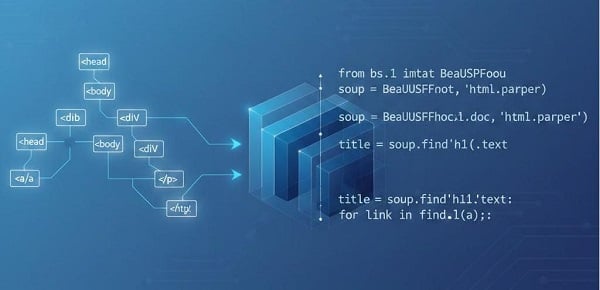
Parsing HTML = turning raw webpage text into a structure you can query:
It's essential for turning web chaos into usable data.
Typical steps:
1. Fetch HTML (HTTP GET).
2. Parse into a structure or stream.
3. Query for the content (tags, attributes, CSS/XPath-like queries).
4. Clean & store results (CSV, JSON, database).
Understand these first—they explain common issues:
Why Python: readable syntax, fast prototyping, large ecosystem from zero-install tools to high-performance engines.
Parsers vary by ease, speed, memory. Below, we map to 2025-recommended libraries.
| Type | Description | Use When | Pros | Cons | Example Library |
| Friendly DOM | Simple tree navigation, CSS selectors. | Prototyping, messy HTML. | Easy API. | Slower at scale. | BeautifulSoup |
| Fast XPath | High-speed, XPath support. | Large datasets, complex queries. | Efficient, powerful. | Steeper curve. | lxml |
| Ultra-Fast CSS | Lightweight, selector-focused. | High-volume CSS tasks. | 5-30x faster. | No XPath. | Selectolax |
| Standards-Compliant | Browser-like parsing. | Quirky/HTML5 pages. | Accurate. | Memory-intensive. | html5lib |
| Selector-Wrapper | jQuery-style API. | Familiar CSS chaining. | Readable. | Overhead. | PyQuery |
| Versatile Hybrid | CSS/XPath mix, Scrapy-integrated. | Flexible scraping. | Versatile. | Less beginner-friendly. | Parsel |
| Event/Streaming | Handler-based, low-memory. | Huge files. | Efficient footprint. | More code. | html.parser (built-in) |
| Headless Renderer | JS execution. | Dynamic content. | Full DOM. | Heavy, detectable. | Playwright or Requests-HTML |
| Text-Only Extractor | Main content pull. | NLP/articles. | Clean output. | Loses structure. | justext |
Built-in (event/streaming): html.parser (no install).
Friendly DOM: beautifulsoup4 — pip install beautifulsoup4 requests.
Fast XPath: lxml — pip install lxml.
Ultra-fast CSS: selectolax — pip install selectolax.
Standards-compliant: html5lib — pip install html5lib.
Selector-wrapper: pyquery — pip install pyquery.
Versatile (CSS & XPath helpers): parsel — pip install parsel.
Text extraction: justext — pip install justext.
JS rendering: requests-html (lightweight) or playwright (robust) — pip install requests-html / pip install playwright + playwright install.
Check robots.txt for disallowed paths.
Read the site’s Terms of Service for restrictions.
Rate-limit requests (delays, concurrency limits) and implement exponential backoff on errors (e.g., HTTP 429).
Honor privacy laws — avoid collecting personal data without lawful basis.
Consider official APIs first — they’re often more reliable and compliant.
Log everything: what you fetched, when, and why — useful for audits.
If in doubt, seek legal advice for high-volume or sensitive scraping.
Tip: If you use IP rotation to distribute requests, do so responsibly — combine them with rate limits, respect robots.txt and terms of service, and avoid collecting personal data.
Use a virtual environment.
Save raw HTML responses to disk for repeatable testing.
Start with small volumes while developing.
This shows how an event parser works without building a DOM (good for learning).
# event_parser_example.py
from html.parser import HTMLParser
class TitleCollector(HTMLParser):
def __init__(self):
super().__init__()
self.in_title = False
self.titles = []
def handle_starttag(self, tag, attrs):
if tag == "title":
self.in_title = True
def handle_endtag(self, tag):
if tag == "title":
self.in_title = False
def handle_data(self, data):
if self.in_title and data.strip():
self.titles.append(data.strip())
p = TitleCollector()
p.feed("<html><head><title>Example</title></head></html>")
print(p.titles) # ['Example']
# requires: pip install beautifulsoup4 requests
import requests
from bs4 import BeautifulSoup
resp = requests.get("https://example.com")
resp.raise_for_status()
soup = BeautifulSoup(resp.text, "html.parser")
for a in soup.find_all("a", href=True):
print(a["href"])
# requires: pip install lxml
from lxml import html
sample = "<div class='product'><h2>Tea</h2><span class='price'>$5</span></div>"
doc = html.fromstring(sample)
names = doc.xpath("//div[@class='product']/h2/text()")
prices = doc.xpath("//div[@class='product']//span[@class='price']/text()")
print(names, prices) # ['Tea'] ['$5']
# requires: pip install selectolax
from selectolax.parser import HTMLParser
html = "<div class='item'>A</div><div class='item'>B</div>"
tree = HTMLParser(html)
for node in tree.css("div.item"):
print(node.text())
# requires: pip install parsel
from parsel import Selector
html = "<div class='product'><h2>Tea</h2></div>"
sel = Selector(html)
names = sel.css("div.product h2::text").getall()
print(names) # ['Tea']
import re
m = re.search(r"<title>(.*?)</title>", "<title>Hi</title>", re.I | re.S)
if m:
print(m.group(1).strip())
Caution: regex is brittle for nested or inconsistent HTML. Use a parser instead whenever possible.
As you progress, real projects bring challenges:
Open View source and compare with Elements in DevTools. If content appears only in the DOM inspector and not in View-source, the page is likely populated by JavaScript.
# requires: pip install requests-html
from requests_html import HTMLSession
from bs4 import BeautifulSoup
session = HTMLSession()
r = session.get("https://dynamic-site.com")
r.html.render() # runs JS (can be slow)
soup = BeautifulSoup(r.html.html, "html.parser")
# parse as usual
Pros: Low friction for modest JS.
Cons: Still heavier than raw requests; may be detectable.
# requires: pip install playwright ; then run `playwright install`
from playwright.sync_api import sync_playwright
with sync_playwright() as p:
browser = p.chromium.launch()
page = browser.new_page()
page.goto("https://dynamic-site.com")
html = page.content()
# parse html with chosen parser
browser.close()
Pros: Full rendering parity.
Cons: Resource-intensive; higher detection risk.
Use DevTools Network tab to find JSON endpoints the page calls — call those APIs directly (usually faster and less detectable). Always respect terms and authentication/authorization.
Prefer legitimate APIs.
If rendering, keep requests low, randomize delays, and obey policies.
Proxies can help distribution, but don’t bypass legal/ethical obligations.
Profile first
Measure whether fetching or parsing is the bottleneck before changing architecture.
Fetching & concurrency
Use asynchronous fetch (e.g., an async HTTP client) to manage many requests efficiently while enforcing a global rate limit.
Tip: For larger crawls, consider a managed proxy service to distribute requests across many addresses and reduce the risk of server throttling. Choose providers that offer rotating pools with geo-targeting, like GoProxy.
Streaming & memory management
For very large inputs, use event/streaming parsers or incremental parsing (iterparse) to keep memory low.
Caching & reproducibility
Save raw HTML for re-runs and debugging, and record timestamps & request headers.
Tests & CI
Add unit tests against saved HTML samples (pytest). Example:
# tests/test_selectors.py
from lxml import html
SAMPLE = "<div class='p'>Value</div>"
def test_selector():
doc = html.fromstring(SAMPLE)
assert doc.xpath("//div[@class='p']/text()") == ["Value"]
Monitoring & alerts
Log parsing failures and sample the raw HTML; set an alert threshold for sudden increases in failure rates.
Robust selectors
Prefer stable attributes (e.g. data-*, id) over brittle auto-generated class names.
Encoding
Decode to UTF-8 consistently (e.g., text.encode('utf-8', errors='replace') / appropriate decode) and normalize whitespace.
Error handling & retries
Implement exponential backoff for transient HTTP errors and retry parse steps with saved HTML.
Quick fixes
Missing content: check for JS or alternate endpoints.
Malformed HTML parse errors: enable recovery mode or run through standards-compliant backend.
Performance issues: profile → switch parser → consider parallel parsing.
2025 tip
Consider lightweight AI-assisted selector adaptation for brittle selectors — but ensure this does not circumvent site policies or legal constraints.
Troubleshooting checklist
No data returned: view raw HTML; check for JS rendering.
Selectors break after UI change: rely on stable attributes and add unit tests.
Slow parsing: benchmark parsers, try a compiled engine, or stream.
Too many errors: log raw pages and identify common failure patterns.
Q: When is regex acceptable?
A: Only for tiny, stable patterns (meta titles, simple tags). Avoid for nested HTML.
Q: Which parser should I learn first?
A: Start with the standard library to understand events, then a friendly DOM parser for rapid prototyping.
Q: How do I know a site is ok to scrape?
A: Check robots.txt and the site’s terms; if unsure, contact the owner or use an API.
Prioritize ethics and legal compliance, and only add heavier tools — rendering, proxies, or large-scale crawling — when you truly need them. With small, well-tested steps, you can move from quick prototypes to robust pipelines without losing control or violating site policies.
Tip: real sites change often, and a well-instrumented pipeline with tests and alerts will save you time and headaches.
< Previous
Next >


 Cancel anytime No credit card required