
Python Web Scraping for Beginners: Complete Step-by-Step Guide (2026)
Learn Python internet scraping step by step, from HTML basics and BeautifulSoup to pagination, data cleaning, dynamic JavaScript pages, and common beginner mistakes.
Apr 9, 2026



Compare and choose Puppeteer alternatives for scraping, cross-browser testing, and scale — Playwright, Selenium, Cypress, scraping APIs.
Browser automation tools like Puppeteer have revolutionized web development, from web scraping to automated testing. But as projects grow more complex—think cross-browser compatibility, mobile emulation, or dodging anti-bot measures—many developers hit roadblocks with Puppeteer's limitations. We'll dive into why you might need a switch, explore subdivided scenarios like scraping vs. testing, and highlight practical alternatives with pros, cons, and use cases, so you can pick the right alternative to Puppeteer (or know when Puppeteer is still the right choice).
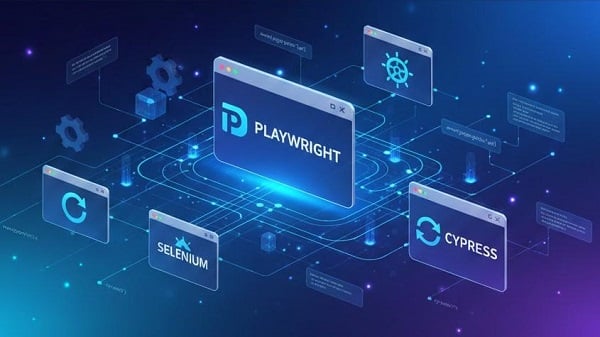
Based on 2025/2026 trends and user feedback:
Playwright: Best general replacement—multi-browser parity, good language bindings, strong debugging.
Selenium: Best for enterprise & multi-language teams with existing infrastructure.
Cypress: Best for frontend developers testing SPAs (fast feedback, not ideal for heavy scraping).
Scraping APIs (ZenRows, Browsercat, ScrapingBee, etc.): Best for scale + anti-bot without infra overhead.
Cheerio / BeautifulSoup: Best for static pages or when you can call JSON endpoints.
Scrapy (+ Splash): Best Python-first high-volume crawling with optional JS rendering.
Testsigma / Testim / Rainforest QA / BugBug: Best no-code/AI options for non-dev QA teams.
Puppeteer is a Node.js library from Google that controls headless Chrome or Chromium via the DevTools Protocol. It's great for:
Key features: Easy Node.js setup, headless/headful modes, and extensions like puppeteer-extra for stealth bot evasion.
But common pain points prompt alternatives:
Chromium-only: No native Firefox or Safari support.
Scaling costs: Running many Chromium instances consumes CPU/RAM and ops time.
Anti-bot detection: Scrapers need proxies, CAPTCHA solving, stealth layers.
Language constraints: Teams using Python, Java, or C# want first-class bindings.
Non-dev teams: Product or QA stakeholders prefer codeless or visual editors.
Start → Do you need cross-browser parity (Chrome, Firefox, WebKit)?
├── Yes → Playwright or Selenium (with BrowserStack/LambdaTest for real devices).
└── No → Is this primarily UI testing (dev workflows, unit-level feedback)?
├── Yes → Cypress or Playwright.
└── No → Is this scraping at volume with anti-bot concerns (CAPTCHA, rotating IPs)?
├── Yes → Managed scraping API (ZenRows, ScrapingBee) + proxy pool, or self-hosted Playwright + proxy strategy.
└── No → Do non-developers need to author/maintain tests?
├── Yes → No-code/AI platforms (Testsigma, Testim).
└── No → Lightweight options like Cheerio/BeautifulSoup or Scrapy.
| Tool | Best for | Browsers | Languages | Hosting | Strength |
| Playwright | E2E & scraping | Chromium, Firefox, WebKit | JS, Python, .NET, Java | Self-hosted / Cloud | Multi-browser, traces |
| Selenium | Enterprise E2E | All major via WebDriver | Java, Python, C#, JS | Self-hosted / Grid | Mature, multi-language |
| Cypress | Frontend dev testing | Chromium-first (others improving) | JS | Self-hosted / Cloud | DX, time-travel debugging |
| Scraping APIs | Scaled scraping | Rendering service | Any (HTTP) | Cloud | Anti-bot, proxies |
| Cheerio/BS | Lightweight scraping | n/a | JS / Python | Self-hosted | Low-cost, fast |
| Scrapy + Splash | Python scraping | Splash renderer | Python | Self-hosted | Async, scalable |
| BrowserStack | Real device matrix | Real devices | Any | Cloud | Real-device coverage |
| Testsigma/Testim | No-code testing | Cloud | Low-code/NLP | Cloud | Low maintenance |
When to choose: You need browser parity (Chromium/Firefox/WebKit) and powerful debugging (tracing, multiple contexts).
Pros: Multi-browser from one API; Python/.NET/Java bindings; trace viewer and auto-waits.
Cons: Slight API differences vs Puppeteer; mobile is emulation (use BrowserStack for real devices).
Example — Puppeteer → Playwright (Node.js):
// Puppeteer
const puppeteer = require('puppeteer');
(async () => {
const browser = await puppeteer.launch();
const page = await browser.newPage();
await page.goto('https://example.com');
console.log(await page.title());
await browser.close();
})();
// Playwright
const { chromium } = require('playwright');
(async () => {
const browser = await chromium.launch();
const page = await browser.newPage();
await page.goto('https://example.com');
console.log(await page.title());
await browser.close();
})();
Most Puppeteer APIs map closely to Playwright; migration is usually straightforward.
When to choose: Enterprise environments or legacy suites using Java, C#, or existing Grid infrastructure.
Pros: Very broad browser & platform support; huge ecosystem.
Cons: More configuration; can be flaky without robust waits.
Practical tip: Couple Selenium with cloud device farms (BrowserStack, LambdaTest) for real-device validation.
When to choose: Frontend teams building SPAs (React/Vue/Angular).
Pros: Time-travel debugging, automatic waiting, great developer feedback loop.
Cons: Historically limited multi-tab/mobile support; less suited for general scraping.
Use case: Unit-to-E2E tests embedded in developer workflow.
When to choose: You need scale + anti-bot management and don’t want to operate browser farms.
Pros: Built-in proxies, CAPTCHA handling, rendering engines; easy HTTP API.
Cons: Vendor cost / lock-in; less fine-grained control.
Operational tip: Use these for high-value targets or when anti-bot measures are extensive.
When to choose: Pages are static or expose JS endpoints — you can avoid browsers entirely.
Pros: Extremely low resource usage; simple to maintain.
Cons: Fails for client-rendered SPAs.
Checklist: Inspect the network tab — if you can fetch JSON endpoints, prefer HTTP+parser over browser automation.
Emerging tools like Skyvern (AI-driven automation) are gaining traction for 2026, offering low-maintenance options similar to Testsigma but with advanced agent-based flows.
Running headless Chromium has a real cost. Use this simple formula to estimate:
Example (very rough, AWS/GCP variances apply): 0.25 vCPU at $0.02/hr + 0.2 GB RAM at $0.01/hr ≈ $0.0065/hr per worker. Multiply by concurrency and monthly hours to get scale cost. (Run a small benchmark to get realistic numbers for your pages.)
def fetch_with_retry(url, max_retries=5):
for attempt in range(1, max_retries + 1):
proxy = pick_random_proxy()
ua = pick_random_user_agent()
resp = http_request(url, headers={'User-Agent': ua}, proxy=proxy, timeout=15)
if resp.status == 200:
return resp
if resp.status in [429, 403]:
wait = exponential_backoff(attempt)
time.sleep(wait)
raise Error("Max retries")
Use session-level proxy per browser context (not per request) to maintain consistency. Rotate User-Agent and add minor timings (sleep jitter) to lower detectability.
Try to avoid pages that trigger CAPTCHA by using API endpoints or authenticated routes. If needed, integrate a CAPTCHA solving service (CapSolver, 2Captcha), but factor cost & legal risks.
name: Playwright Tests
on: [push, pull_request]
jobs:
test:
runs-on: ubuntu-latest
steps:
- uses: actions/checkout@v4
- name: Setup Node
uses: actions/setup-node@v4
with: node-version: 20
- run: npm ci
- name: Install Playwright Browsers
run: npx playwright install --with-deps
- name: Run Playwright tests
run: npx playwright test --reporter=dot,json
- name: Upload traces and screenshots
if: failure()
uses: actions/upload-artifact@v4
with:
name: playwright-traces
path: playwright-report/
Store artifacts (screenshots, traces) to diagnose flaky tests.
Q: Is Playwright better than Puppeteer?
A: For cross-browser needs, yes — Playwright supports Chromium, Firefox, and WebKit from the same API and has richer debugging (traces). For simple Chromium-only tasks, Puppeteer still works fine.
Q: When should I use a scraping API vs self-hosted browsers?
A: Use a scraping API when anti-bot measures, scale, and time-to-market matter more than low-level control. Self-hosted gives more control and lower marginal cost at extreme scale but requires ops.
Q: Can Cypress replace Puppeteer?
A: Not exactly. Cypress excels at frontend testing and developer flow. It isn’t primarily a scraping tool and has limitations for multi-tab or multi-domain tasks.
Q: How do I handle CAPTCHA?
A: Prefer to avoid triggering them via better endpoints. Otherwise, integrate CAPTCHA solving services or human-in-the-loop solutions—both add cost and complexity.
There’s no single “best” Puppeteer replacement — the right one depends on scale, anti-bot risk, team language, and who owns the code. In 2026, Playwright is the most common modern alternative for teams that want browser parity and easy debugging. For heavy scraping under adversarial conditions, consider managed scraping APIs and a robust proxy strategy. For frontend devs, Cypress will often remain the fastest path to stable UI tests. Looking ahead, AI integration (e.g., in tools like Skyvern) will dominate, reducing maintenance further.
< Previous
Next >


 Cancel anytime No credit card required