
Guide to TikTok Proxy 2026: Types, Setup, and Best Practices
Learn exactly what a TikTok proxy is, which type is best for beginners, step-by-step setup for desktop and mobile, testing tips, and best practices to keep accounts stable.
Apr 17, 2026



Step-by-step fixes for “This page has been blocked by strict blocking rules” — for visitors, developers, and site owners facing uBlock Origin, Cloudflare, and Chrome errors.
When you see a message like “This page has been blocked by strict blocking rules” (or related DevTools errors like net::ERR_BLOCKED_BY_CLIENT or ERR_BLOCKED_BY_RESPONSE), it can be confusing: Is your browser protecting you from harm, has the site blocked you intentionally, or is something else going wrong? This guide explains why it happens, helps you diagnose quickly, and provides step-by-step fixes.
If you see “This page has been blocked by strict blocking rules” or DevTools errors like net::ERR_BLOCKED_BY_CLIENT / net::ERR_BLOCKED_BY_RESPONSE:
1. Open the page in Incognito — if it loads, an extension (uBlock/AdBlock) is probably blocking it.
2. If the page shows a Cloudflare block with a Ray ID, contact the site owner and give them the Ray ID.
3. If DevTools shows ERR_BLOCKED_BY_RESPONSE, check server response headers (CORS/CSP/WAF).
Use the sections below that match your role: Visitor, Developer / Site Owner, or Power User.
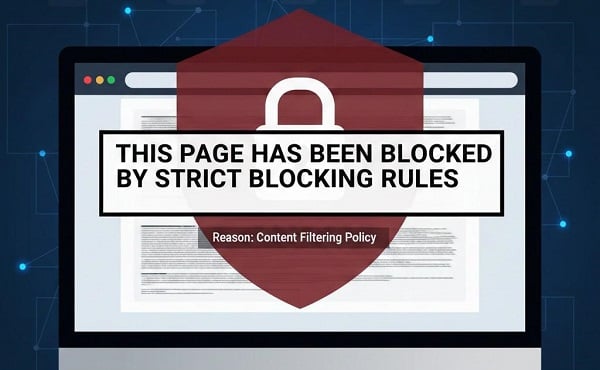
This message is not a standard browser 404. It usually indicates that a security filter matched the page URL (from a browser extension like uBlock Origin, a site firewall/CDN such as Cloudflare, or server-side response rules). Strict blocking is an aggressive protection: instead of hiding ads or resources, it can stop the whole page from connecting to the server.
Common triggers: malware lists, tracking/redirect domains (shortened links), aggressive filter lists (e.g., Malware Domains, EasyPrivacy), overly strict WAF rules, or misconfigured CORS/CSP headers.
| Test | How to run it | Evidence / Interpretation | Immediate action |
| 1. Incognito / Private window | Open URL in Incognito / Private | Page loads → client-side extension likely. Doesn't load → continue tests. | If it loads, go to Visitors — disable extension/whitelist. |
| 2. Different network | Try mobile data / another Wi-Fi / disable VPN | Works on mobile but not on original network → network/ISP/corp firewall. | Use another network or contact network admin. |
| 3. DevTools: Network tab | F12 → Network → Preserve log → reload | net::ERR_BLOCKED_BY_CLIENT → browser extension blocked. net::ERR_BLOCKED_BY_RESPONSE → server/WAF/CORS/CSP. | Save HAR and follow the corresponding dev or visitor steps. |
| 4. Block page shows Ray ID | Look for Cloudflare/other CDN block page with Ray ID | Ray ID present → CDN/WAF / server-side firewall blocked request. | Contact site owner/support with Ray ID (see template). |
| 5. cURL header check | curl -I -L 'https://example.com/path' | Missing/incorrect CORS/CSP/X-Frame headers or unexpected redirects → server misconfiguration or blocked response. | Fix headers or redirect logic (see Dev section). |
| 6. Nothing obvious | After above, still unclear | Possible false positive, rare filter lists, or complex proxy config. | Collect HAR, screenshots, timestamp and escalate to site admin or filter list maintainer. |
Use the row that matches your evidence. For example:
Incognito loads + DevTools shows ERR_BLOCKED_BY_CLIENT → follow Visitors: disable/whitelist extensions;
Cloudflare block with Ray ID → follow Developers: look up Ray ID in Cloudflare;
ERR_BLOCKED_BY_RESPONSE → follow Developers: check CORS/CSP and server headers.
These are for everyday users—focus on low-risk, quick actions.
Open the URL in an incognito/private window. If it loads, a browser extension is blocking the page.
Chrome: Menu → More tools → Extensions → toggle off uBlock/AdBlock/DuckDuckGo.
If it loads, re-enable extensions and whitelist the site instead of leaving protection off.
Tip: Disable one extension at a time to identify the responsible one.
Some strict-block pages offer a short “Proceed” (≈120s). Use this only for sites you trust. Prefer temporary proceed over permanent global changes.
Switch to mobile data or another Wi-Fi. Disable VPN. Clear cache & cookies: Chrome Settings → Privacy → Clear browsing data.
For advanced users, a proxy can act as a temporary alternate network, helping confirm whether the block is tied to IP reputation or location. (Tip: Always use proxies responsibly and in compliance with the website’s terms.)
Copy the Ray ID and timestamp, then contact the website owner (support email, Twitter, or alternate contact). Include the Ray ID and time — this allows the site owner to find the exact firewall event.
Support template:
Hello,
I was blocked while visiting a page on your site.
URL: https://example.com/page
Time (UTC): 2026-01-15 07:34:22
Ray ID: 1234567890abcdef
My IP: 203.0.113.45
Browser: Chrome 109.0.5414.87
Please check your Cloudflare firewall events for that Ray ID and let me know what I should try next. I can attach a HAR file or screenshot if helpful.
Thanks,
[Name]
If visitors report this issue, follow these steps to reproduce, diagnose, and fix.
Ask the visitor to provide:
Try loading the page yourself from multiple networks (home, mobile data) and in incognito. To reliably reproduce user reports, test the page from multiple IP locations, many teams use ISP proxies to simulate different regions, ISPs, and IP reputations without relying on random VPN endpoints.
Cloudflare Dashboard → Security → Events or Firewall → filter by Ray ID or timestamp.
Identify which rule fired (Bot Fight Mode, OWASP rule, Rate Limit, IP Reputation).
Remediation options:
If DevTools shows ERR_BLOCKED_BY_RESPONSE, the server response or security headers are likely the cause.
Useful commands
# show response headers
curl -I -L 'https://example.com/path'
# verbose to see redirects and TLS details
curl -v 'https://example.com/path' 2>&1 | sed -n '1,120p'
Common headers to check / set
Access-Control-Allow-Origin: https://example.com
Content-Security-Policy: default-src 'self' https:;
X-Frame-Options: SAMEORIGIN
Example Nginx lines
add_header 'Access-Control-Allow-Origin' 'https://example.com';
add_header 'Access-Control-Allow-Methods' 'GET, POST, OPTIONS';
add_header 'Content-Security-Policy' "default-src 'self' https:; script-src 'self' https://cdn.example.com;";
Don’t make critical UX depend synchronously on third-party scripts (analytics, ads, widgets). Load them asynchronously, and render fallback UI if blocked. Example strategies:
For automated monitoring or integrations, rotating proxies are widely used to avoid shared-IP rate limits while respecting crawl and access policies.
If you control the block page, display Ray ID and timestamp prominently and provide an alternate contact method not blocked by the same rule (e.g., a public email or a form on a different subdomain). This reduces friction for blocked visitors and helps support teams quickly locate firewall events.
Strict blocking prevents the root document from loading for domain-only filters (e.g., ||example.com^). It’s more aggressive than blocking only third-party resources.
Temporary proceed on the block page (~120s).
Per-site allow: while on the site, click uBlock icon → press the power button → reload.
Per-site rule (preferred over global disables):
no-strict-blocking: example.com true
Add via: uBlock Dashboard → My rules → Paste rule → Save → Commit.
If false positives are frequent, uncheck specific aggressive lists (e.g., Malware Domains, Hosts file, EasyPrivacy) instead of disabling all protection.
Q: Is it safe to click “Proceed” on a strict-block page?
A: Only for sites you trust. The proceed option is usually temporary and safer than globally disabling your blocker.
Q: What does net::ERR_BLOCKED_BY_CLIENT mean?
A: That error indicates the client (your browser or an extension) blocked the request — commonly a privacy/AdBlock extension.
Q: What does net::ERR_BLOCKED_BY_RESPONSE mean?
A: The server or a proxy returned a response that the browser considered blocked — often due to CORS/CSP mistakes or WAF actions.
Q: How can site owners reduce false positives?
A: Narrow WAF rules, prefer Challenge rather than Block for edge cases, publish clear support instructions and include Ray IDs on block pages.
These blocks protect you, so bypass judiciously. If stuck, check r/uBlockOrigin or SuperUser. For site owners, user-friendly fixes boost SEO by reducing bounce rates—happy users mean better rankings. Apply these steps, and you'll browse freely again.
< Previous
Next >


 Cancel anytime No credit card required