
Pick The Best Proxy Extension for Chrome For Your Use Case (2026)
Compare top Chrome proxy extensions and pick the right tool for geo-testing, privacy, and secure setup.
Jan 13, 2026



Explore the top Amazon scraping APIs in 2026 with features, pricing, legal tips, pilot tests, and pipelines for reliable product data extraction.
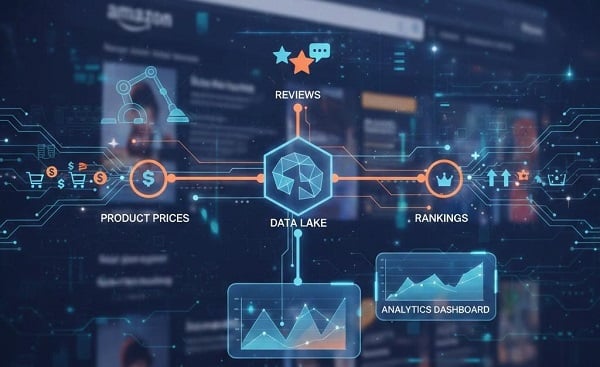
Staying competitive in e-commerce, dropshipping, arbitrage, or market research requires reliable, real-time Amazon data—such as product prices, ASINs, reviews, offers, buy box winners, search rankings, bestsellers, and more. Manual collection is slow and unreliable due to Amazon's robust anti-bot defenses (AWS WAF, CAPTCHA, dynamic JavaScript rendering, IP blocks). Dedicated Amazon scraping APIs address this by automatically handling residential proxies, fingerprint evasion, geotargeting (ZIP/country-level for accurate local pricing), browser rendering, CAPTCHA solving, and structured JSON parsing—delivering clean, usable data in seconds without custom infrastructure headaches.
Critical Legal Note: Amazon's Terms of Service prohibit automated scraping for commercial purposes, even public data, potentially leading to IP bans, account suspensions, or legal risks (e.g., under CFAA, GDPR/CCPA, or local laws). Always consult a lawyer. For authenticated seller data, use official options like the Selling Partner API (SP-API). Unofficial APIs suit competitor/public analysis but require ethical use—respect rate limits, avoid personal data, and minimize site impact.
Common Users' Needs:
For quick prototype & low cost use Scrapingdog;
For JS-heavy pages / fastest unblocking use Zyte;
For a balance of cost + localization use Decodo (Smartproxy rebrand);
For enterprise scale, compliance and the deepest feature set use Oxylabs or Bright Data.
Run a 1–5k request pilot per locale and measure success rate, latency, and cost per valid record before committing.
An Amazon scraping API is a managed service that requests Amazon pages (product pages, offers, search results, reviews, bestsellers) and returns structured output (usually parsed JSON, sometimes raw HTML or screenshots). These services handle IP rotation, JavaScript rendering, CAPTCHA solving and parsing so teams don’t maintain fragile anti-bot infrastructure themselves. Use them when you need dependable, repeatable data at scale.
Document purpose & scope for counsel (data types, retention, commercial use).
Rate-limit aggressively in the first weeks.
Avoid PII—do not collect reviewer contact details unless required and legally justified.
Retention policy — keep scraped results only as long as necessary (e.g., 90 days) and plan secure deletion.
Provider contract — check data/usage clauses and exportability.
Consider official SP-API if you’re an Amazon seller and need official routes.
Typical endpoints and outputs offered by specialized Amazon scraping APIs:
Product data: title, images, ASIN, brand, bullets, specs, availability.
Offers / BuyBox: sellers, price, shipping, buybox holder.
Search results: result lists, sponsored items, pagination.
Reviews & ratings: text, star, date, reviewer metadata.
Bestsellers / category feeds: trending products by category.
Outputs: parsed JSON (best for ingestion), raw HTML, screenshots (for verification).
Before signing up, measure these:
1. Success rate (parsed responses / requests) — target ≥ 90–95% for production.
2. Cost per valid result (not per raw request).
3. Avg response time — matters for real-time use.
4. Geotargeting / ZIP support — crucial for local price accuracy. Accurate pricing and availability depend on IPs located in the same country or ZIP code as your target market.
5. JS rendering & CAPTCHA — required for many Amazon pages.
6. Parsed JSON vs raw HTML — parsed JSON reduces integration work.
7. Rate limits & concurrency — check rules and bursts.
8. SDKs & docs — Python/Node clients save time.
9. Audit tools — screenshots, request replays, logs.
10. Support & SLAs — critical for production.
KPIs example: Success rate ≥ 90–95% (per locale); Avg latency < 6s (if near-real time); Cost per valid record within your budgeted threshold.
Run a 1–5k request pilot across your target ASINs and locales to measure these KPIs before committing.
Note: Below is a concise view combining independent reviews and provider pages ( Jan 27, 2026). Numbers vary by tests and time — run your own test.
| Provider | Key strengths | Best for | Key features (proxy / parsed JSON / JS render) | Trial / Notes |
| Decodo | Balanced price, large geo IP pool | Mid-volume localized price/offer monitoring | Proxy included ✓; parsed JSON (plan-dep); JS rendering (advanced plans) | Trial/credits often available; pilot recommended |
| Zyte API | Fast unblocking, advanced rendering | Real-time & JS-heavy pages | Proxy included; parsed JSON ✓; strong JS rendering | PAYG & tiers; good for complex pages |
| Oxylabs | Enterprise SLAs, batch processing | Large-scale, compliance-sensitive workflows | Proxy included; parsed JSON ✓; batch endpoints | Enterprise trials; higher entry cost |
| Bright Data | Massive proxy footprint & compliance tooling | Global market research & bulk processing | Proxy included ✓; parsed JSON (module-dep); webhooks/bulk | Premium pricing; enterprise onboarding |
| Scrapingdog | Developer-friendly, fast onboarding | Prototyping & small teams | Proxy included (varies); parsed JSON ✓; simple GET endpoints | Free credits; low barrier to start |
| ScraperAPI | Easy-to-use, robust anti-bot handling | Quick setups, small-to-mid projects | Proxy included; raw HTML by default; parsed options | Generous free credits promotions |
| ScrapingBee | Friendly for parsing & workflows | Projects that need simple rendered fetching/AI extraction | Proxy optional; JS rendering; parsed JSON on some plans | Trial options; good docs |
| ZenRows | Specialized Amazon endpoints; parsing | Product/search parsing without heavy infra | Proxy included (varies); parsed JSON ✓; JS rendering | Trial/credits vary by plan |
Decodo provides a large, diverse IP pool plus scraping tools and Amazon-focused endpoints — a solid mid-range option when you need geo-accurate results without enterprise pricing.
Strengths
Extensive IP/proxy coverage with ZIP/country targeting for locale-accurate pricing.
Good balance of performance and cost for regional monitoring.
SDKs and proxy tooling simplify integration.
Weaknesses
Core (lower-cost) plans may be HTML-first; full JS rendering/parsing can require higher tiers.
Not as parsing-heavy (AI extraction) as some specialist vendors.
Typical endpoints
Product (ASIN), Search, Offers/BuyBox, Bestsellers, Reviews. Outputs: parsed JSON (plan-dependent), raw HTML, screenshots.
Pricing notes
Market-range pricing (~$0.25–$0.35 per 1k requests reported in tests). Verify with a pilot and look for trial credits.
Integration & pilot tips
Start Core to validate basic parsing. If pages need JS, enable advanced rendering.
Test 100 ASINs × product+offers across 2 locales to confirm proxy routing and success rate.
Best for / persona
Mid-volume SaaS/product teams needing dependable, localized feeds.
Zyte excels at unblocking and rendering; it’s a go-to for JS-heavy pages and tough anti-bot scenarios thanks to robust rendering and parsing capabilities.
Strengths
Strong JS rendering and anti-detection features — high unblock success.
Advanced parsing and resilience to layout changes.
Weaknesses
Can be more expensive for very high volumes if advanced plans are required.
Enterprise onboarding sometimes needed for best pricing.
Typical endpoints
Product, Search, Offers, Reviews, Bestsellers; rendering + parsed JSON outputs and screenshots.
Pricing notes
PAYG and tiered plans; cost-effectiveness improves at scale — pilot to determine cost per valid.
Integration & pilot tips
Use Zyte when other providers return CAPTCHAs or partial pages. Capture screenshots during pilot to validate parsing accuracy.
Check throughput/latency if doing real-time repricing.
Best for / persona
Teams that need reliable unblocking for JS-heavy pages and low-maintenance extraction.
Oxylabs targets enterprise customers with parsed endpoints, batch processing, and SLAs — ideal for large-scale, compliance-oriented ingestion.
Strengths
Enterprise-grade support, dedicated parsers, and bulk/batch processing.
Large proxy footprint and strong documentation.
Weaknesses
Higher entry cost; not pay-as-you-go friendly for very small pilots.
Advanced features often behind enterprise plans.
Typical endpoints
Product, Search, Offers, Reviews, Sellers, Bestsellers, Category feeds; parsed JSON and batch endpoints.
Pricing notes
Generally, premium pricing (subscriptions / large-volume credits). Estimate $1+ per 1k valid results depending on plan and negotiation. Pilot for accurate numbers.
Integration & pilot tips
Run batch pilots (2–5k URLs) to validate parsing coverage and cost-efficiency. Test support SLAs as part of your evaluation.
Best for / persona
Enterprises, data teams, and research firms needing stable ingestion with SLAs.
Bright Data offers the broadest proxy footprint and compliance tooling — chosen when geographic coverage and scale are the top priorities.
Strengths
Massive IP/proxy pool with global reach and compliance-focused tools.
No-code and bulk tooling for large research jobs.
Weaknesses
Higher costs and complexity; webhook-centric patterns may change integration style.
Enterprise onboarding and contract review often required.
Typical endpoints
Product, Offers, Search, Reviews, Bestsellers; bulk processing and webhook integrations; raw or parsed outputs depending on modules.
Pricing notes
Premium-level pricing (PAYG and subscriptions). Best for projects where scale & coverage outweigh per-request cost.
Integration & pilot tips
Validate webhook/bulk latency and confirm compliance clauses in contract. Use when you need dozens of locales and a huge IP pool.
Best for / persona
Enterprises and large research organizations needing global coverage and compliance.
Scrapingdog is developer-friendly and great for rapid prototyping — friendly docs, simple endpoints, and free credits make it a top starter choice.
Strengths
Quick onboarding, parsed JSON endpoints, free trial credits.
Simple GET-based API design; good docs for devs.
Weaknesses
Success rates can vary by page type in broader benchmarks — pilot in your target locales.
Less enterprise tooling compared with Oxylabs/Bright Data.
Typical endpoints
Product, Search, Reviews; parsed outputs and screenshot options.
Pricing notes
Competitive, low barrier to start; pricing examples in tests show strong cost-effectiveness for small teams.
Integration & pilot tips
Ideal for 100–1,000 request pilots and proof-of-concepts. Use parsed endpoints to minimize integration work and compute success_rate quickly.
Best for / persona
Prototype devs, startups, and small teams building pricing monitors or data prototypes.
Quick summary: ScraperAPI is an easy, low-friction API that handles many anti-bot defenses — a good choice for teams that prioritize simplicity over deep, provider-parsed endpoints.
Strengths
Straightforward model, solid anti-bot handling, scheduling and webhook support.
Often comes with generous free credits or trial promos.
Weaknesses
Can be slower on average than providers with specialized Amazon endpoints; parsing may be raw-HTML-centric unless combined with parser logic.
Geotargeting limitations in lower tiers.
Typical endpoints
Generic page fetch with Amazon parameters, raw HTML or parsed options if supported; screenshot options.
Pricing notes
Pay-as-you-go and tiered plans; effective cost per valid should be tested during a pilot (some test figures show higher per-valid costs vs specialist Amazon endpoints).
Integration & pilot tips
Useful for quick setups; if you need parsed JSON, either use provider parsing (if available) or pair with an internal parser. Confirm ZIP/geotargeting availability for your needed locales.
Best for / persona
Beginners, teams valuing low friction and robust anti-bot handling without wanting enterprise complexity.
ScrapingBee focuses on rendered fetching and parsing conveniences — good where you need a simple rendering + parsing tool but not necessarily enterprise SLAs.
Strengths
Simple API for rendered pages, some AI-assisted parsing, friendly for mid-market use.
Useful dashboards and developer-focused tooling.
Weaknesses
Proxy coverage and advanced unblocking can be less than Bright Data / Oxylabs; verify for your locales.
Parsing depth varies by plan and page complexity.
Typical endpoints
Rendered page fetch, parsed JSON options on select plans, screenshot capture.
Pricing notes
Competitive mid-market pricing; best assessed via pilot for effective cost_per_valid.
Integration & pilot tips
Use ScrapingBee for small-to-mid projects where you want a friendly API and rendered pages. Validate CAPTCHA handling for complex Amazon pages.
Best for / persona
Small-to-mid teams that want rendered fetching and simpler parsing capabilities.
ZenRows offers simplified Amazon-focused endpoints and parsing — a pragmatic option when you want parsed outputs without building parsing logic.
Strengths
Amazon-targeted endpoints and parsing; good for product and search parsing without heavy infra.
Simple pricing/UX for small-to-mid projects.
Weaknesses
Proxy pool size and enterprise features can be smaller than large vendors — pilot to validate coverage.
Less feature-rich for enterprise auditing & compliance.
Typical endpoints
Product, Search, Reviews; parsed JSON and screenshots.
Pricing notes
Mid-market pricing; trial credits or small free tiers sometimes available. Verify effective costs with a pilot.
Integration & pilot tips
Quick to integrate for parsed product/search needs. Test geotargeting and CAPTCHA handling early in your pilot.
Best for / persona
Small-to-mid teams wanting parsed Amazon data quickly without enterprise complexity.
A simple production pattern that scales and is maintainable:
1. API client / wrapper — centralize API keys, retries, error classification, and rate control.
2. Task queue — Celery / RQ / serverless functions to schedule work and throttle per-locale.
3. Rate limiting & deduplication — per-locale and per-ASIN throttles.
4. Validation layer — assert presence of key fields (title, ASIN, price); if missing, mark for retry.
5. Retries with exponential backoff — use jitter to avoid retry storms.
6. Audit store — save raw HTML / screenshots for a small percentage of requests (1–5%) for debugging.
7. Storage & analytics — store validated JSON in Postgres/ClickHouse and raw artifacts in object storage (S3).
8. Monitoring & alerts — dashboards for success_rate, cost_per_valid, avg_latency, and error breakdowns.
Proxy note: Many scraping APIs include mobile, residential or datacenter proxies. If yours doesn’t, pair with a proxy service (mobile = highest success but most expensive; residential = higher success but costlier; datacenter = cheaper, more block risk) to maintain acceptable success rates. Consider reliable providers like GoProxy.
Scope: 100–200 ASINs × 3 endpoints (product, offers, latest reviews) → ~400–800 requests
Duration: 7–14 days spread evenly (avoid bursts).
Run: Parallel test 2–3 providers (one cost-focused, one reliability-focused).
Metrics to collect: total_requests, valid_responses, success_rate = valid_responses/total_requests, avg_latency, cost_spent, cost_per_valid = cost_spent/valid_responses.
Acceptance: success_rate ≥ 90–95% (staging thresholds: dev 80–85%, pilot 90–95%, prod 95%+).
If fail: capture 1–5% screenshots, reduce concurrency, re-run sample, escalate to vendor support with request IDs and artifacts.
Cost formula:
monthly_cost = (#ASINs × calls_per_ASIN × frequency_per_month / 1000) × cost_per_1k
Run the pilot to get real cost_per_1k and success_rate to refine projections.
Geotarget for accurate pricing; validate routing.
Prefer parsed JSON to avoid selector breakage.
Implement retries/backoff; monitor drift (layout changes).
Capture artifacts for failures; escalate to support.
Rotate parameters; check vendor changelogs.
Reduce concurrency if issues arise.
Q: Is scraping Amazon legal?
A: It depends on the jurisdiction and use case. Public page scraping can violate Amazon’s TOS and create legal risk—consult counsel for commercial projects.
Q: How many requests per ASIN?
A: Usually 1–4 requests (product + offers + reviews) depending on endpoints used; parsed JSON endpoints reduce requests.
Q: Parsed JSON vs raw HTML — which to pick?
A: Parsed JSON reduces integration work and fragility (recommended). Use HTML only when provider parsing is insufficient.
Q: When should I build my own scraper?
A: Only if you have unique legal/technical needs or extreme cost sensitivity. Managed APIs save maintenance time.
Q: How often should I revalidate pipelines?
A: Weekly success checks; monthly full QA and screenshot audits.
In 2026, Amazon's defenses keep evolving, making specialized APIs essential for reliable data. Pick based on your scale and needs, and test thoroughly.
< Previous
Next >


 Cancel anytime No credit card required