
Guide to TikTok Proxy 2026: Types, Setup, and Best Practices
Learn exactly what a TikTok proxy is, which type is best for beginners, step-by-step setup for desktop and mobile, testing tips, and best practices to keep accounts stable.
Apr 17, 2026



Step-by-step to scraping paginated sites: numbered pages, Next links, load more, infinite scroll, API pagination, and best practices to collect ethically.
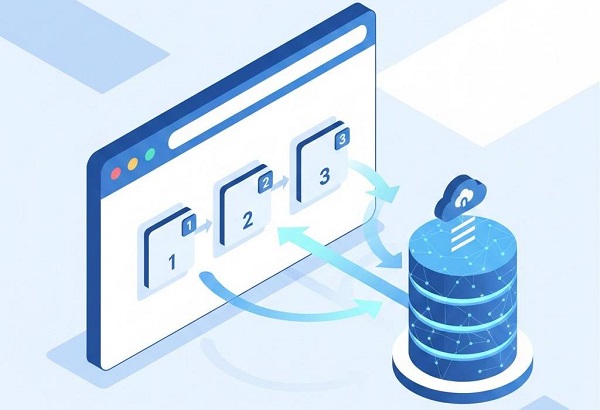
Pagination is everywhere: search results, product lists, forums, and social feeds. Handling pagination correctly is essential for effective web scraping. It determines whether you collect a complete dataset or get stuck on page 1 forever. This guide walks you through code examples, covering the main pagination patterns, step-by-step methods, debugging tips, and best practices.
Who this article is for
Beginners — step-by-step examples you can run locally.
Intermediate devs — resilience patterns (retry, resume, logs).
Operators / teams — operational checklist for safe, repeatable scraping.
Inspect DevTools → Network first and prefer JSON/XHR endpoints. Use requests + BeautifulSoup for URL-based pages, urljoin for Next links, headless browsers with explicit waits for Load More/infinite scroll, and prefer API/cursor pagination when available. Always add retries/backoff, checkpointing (resume), incremental saves (JSONL), polite delays, and logging.
Pagination is how websites split large datasets into multiple pages to improve UX and performance. Think of it like chapters in a book – you can't read everything at once, so you flip through pages. If you only scrape page 1, your dataset will be incomplete. Correct pagination handling ensures full, accurate crawls and avoids wasted compute/time.
Pagination typically falls into these categories. Identifying the type early saves time—open your browser's DevTools (F12) and simulate navigation to spot patterns.
Pages are listed as numbers (e.g., ?page=1, /page/2). Easiest to automate.
How to Identify: URL updates in the address bar (e.g., ?page=2). No JavaScript needed.
A “Next” link points to the next page; may be relative or absolute.
How to Identify: a elements like .next or rel="next".
JavaScript fetches next items when you click a button.
How to Identify: Button elements; Network tab shows XHR after click.
New items load as you scroll (XHR/API calls or DOM appends).
How to Identify: Content appends without URL change. Network tab shows XHR on scroll.
The site queries an endpoint returning items, has_more, cursor, offset, or page values — ideal to reuse.
How to Identify: XHR responses with keys like items, has_more, next_cursor, offset.
1. Open DevTools → Network → filter XHR, then click Next / scroll.
2. Observe address bar for URL changes.
3. Compare View source vs Inspect to see JS-rendered content.
4. Search XHR responses for has_more, cursor, offset, limit.
5. Check response headers for Retry-After on 429s.
requests + BeautifulSoup — static HTML, numbered pages (Easy).
Scrapy — structured, scalable crawls with concurrency and pipelines (Intermediate → Production).
Selenium / Playwright — JS-heavy pages, Load More, infinite scroll (Medium → Hard).
aiohttp / async — efficient parallel API calls (Intermediate, use responsibly).
GUI visual scrapers — quick for non-devs but less flexible.
Always check https://example.com/robots.txt before scraping and interpret Disallow rules.
robots.txt is a technical directive, not legal permission. For commercial, sensitive, or large-scale scraping, consult legal or compliance teams. Respect rights, copyrighted content, and data privacy laws in your jurisdiction.
Use test targets like http://books.toscrape.com/ or http://quotes.toscrape.com/ for practice — these demo sites are intentionally provided for learning scraping.
We'll use free, beginner-friendly libraries: requests for HTTP requests, BeautifulSoup for parsing HTML, and Selenium for dynamic content. Install them via pip if needed: pip install requests beautifulsoup4 selenium. (For async, add pip install aiohttp.) All examples are minimal; adjust selectors, URLs, and politeness settings for your target.
Use this when pages follow a predictable ?page= or /page/ pattern, like a product catalog.
1. Inspect the URL pattern (e.g., https://example.com/page=1, then page=2).
2. Loop through pages until no more content or a "next" link disappears.
3. Add delays to mimic human behavior and avoid bans.
# robust_numbered_pagination.py
import requests, time, json, random, os
from bs4 import BeautifulSoup
BASE = "https://example.com/search?page="
HEADERS = {"User-Agent": "Mozilla/5.0 (compatible; pagination-bot/1.0)"}
OUTFILE = "results.jsonl"
CHECKPOINT = "checkpoint.txt"
session = requests.Session()
session.headers.update(HEADERS)
MAX_RETRIES = 3
BACKOFF_BASE = 1.5
def load_checkpoint():
if os.path.exists(CHECKPOINT):
return int(open(CHECKPOINT).read().strip())
return 1
def save_checkpoint(page):
with open(CHECKPOINT, "w") as f:
f.write(str(page))
def append_results(items):
with open(OUTFILE, "a", encoding="utf-8") as f:
for it in items:
f.write(json.dumps(it, ensure_ascii=False) + "\n")
page = load_checkpoint()
while True:
url = f"{BASE}{page}"
for attempt in range(1, MAX_RETRIES+1):
try:
r = session.get(url, timeout=15)
if r.status_code == 429:
ra = r.headers.get("Retry-After")
wait = int(ra) if ra and ra.isdigit() else BACKOFF_BASE ** attempt
time.sleep(wait)
continue
r.raise_for_status()
break
except requests.RequestException:
if attempt == MAX_RETRIES:
raise
time.sleep((BACKOFF_BASE ** attempt) + random.random())
soup = BeautifulSoup(r.text, "html.parser")
items = []
for el in soup.select(".list-item"): # adjust selector
title = el.select_one(".title")
items.append({"title": title.get_text(strip=True) if title else None})
if not items:
print("No items on page:", page)
break
append_results(items)
save_checkpoint(page + 1)
print("Saved page", page, "items:", len(items))
time.sleep(1 + random.random()*1.5)
page += 1
Start with a small page upper bound (e.g., 100) and increase if needed.
If the site shows total count (e.g., “Showing 1–20 of 502”), compute math.ceil(total / per_page) and loop only that many (import math).
If total pages aren't shown, extract the last page number from the pagination bar using soup.find('a', class_='last-page').
For error handling, the try-except catches connection issues. Test on a small site first—if you get a 403 error, rotate User-Agents in HEADERS.
When a canonical Next link exists, like <a class="next" href="/listings?page=3">Next</a>.
1. Extract the "Next" link's href.
2. Use a loop to request until no "Next" exists.
3. Handle relative URLs by joining with the base.
import requests
from bs4 import BeautifulSoup
from urllib.parse import urljoin
import time, random
session = requests.Session()
session.headers.update({"User-Agent": "Mozilla/5.0"})
url = "https://example.com/listings"
data = []
while url:
r = session.get(url, timeout=15)
r.raise_for_status()
soup = BeautifulSoup(r.text, "html.parser")
for item in soup.select(".item-class"):
data.append(item.get_text(strip=True))
next_link = soup.find("a", rel="next") or soup.select_one("a.next")
if next_link and next_link.get("href"):
url = urljoin(url, next_link["href"])
else:
url = None
time.sleep(1 + random.random()*1.2)
print("Total items:", len(data))
Why urljoin? It handles relative links robustly, preventing errors beginners often hit.
If pages are unknown, this prevents infinite loops by checking for the link.
When clicking a button loads new items, like e-commerce reviews. Avoid blind sleep—use explicit waits for reliability.
1. Launch a headless browser.
2. Click the button repeatedly until it's disabled or no new content loads.
3. Extract after each click.
from selenium import webdriver
from selenium.webdriver.common.by import By
from selenium.webdriver.chrome.options import Options
from selenium.webdriver.support.ui import WebDriverWait
from selenium.webdriver.support import expected_conditions as EC
import json
options = Options()
options.headless = True
driver = webdriver.Chrome(options=options) # ensure matching ChromeDriver
driver.get("https://example.com/load-more")
wait = WebDriverWait(driver, 15)
prev_count = 0
results = []
while True:
wait.until(lambda d: len(d.find_elements(By.CSS_SELECTOR, ".list-item")) >= 1)
items = driver.find_elements(By.CSS_SELECTOR, ".list-item")
for it in items[prev_count:]:
results.append(it.text)
prev_count = len(items)
try:
btn = wait.until(EC.element_to_be_clickable((By.XPATH, "//button[contains(text(),'Load More')]")))
driver.execute_script("arguments[0].click();", btn)
wait.until(lambda d: len(d.find_elements(By.CSS_SELECTOR, ".list-item")) > prev_count)
except Exception:
break
driver.quit()
with open("results.json", "w", encoding="utf-8") as f:
json.dump(results, f, ensure_ascii=False)
Download ChromeDriver matching your browser version from the official site.
Use explicit waits and count changes to detect new content.
Clicking can trigger bot defenses—use human-like timings with random delays.
For CAPTCHA, add proxies via options.add_argument('--proxy-server=http://yourproxy').
This handles JavaScript—great for subdivided scenarios like reviews.
Preferred: Inspect network for XHR called during scroll, then reuse that API.
1. Launch browser and load page.
2. Scroll down repeatedly.
3. Monitor page height to detect end.
4. Extract once fully loaded.
from selenium import webdriver
from selenium.webdriver.common.by import By
from selenium.webdriver.common.keys import Keys
import time
driver = webdriver.Chrome()
driver.get("https://example.com/infinite-scroll")
last_height = driver.execute_script("return document.body.scrollHeight")
while True:
driver.find_element(By.TAG_NAME, "body").send_keys(Keys.END)
time.sleep(1.5)
new_height = driver.execute_script("return document.body.scrollHeight")
if new_height == last_height:
break
last_height = new_height
items = driver.find_elements(By.CSS_SELECTOR, ".item-class")
data = [item.text for item in items]
driver.quit()
Playwright often provides better network hooks; prefer that if available.
Slower than APIs; use for subdivided scenarios like social feeds.
If Network panel shows XHR returning JSON, use it directly—it's faster, less brittle, and often easier to paginate accurately. Why prefer JSON? Endpoints bypass rendering, reducing bans and overhead.
Offset: ?limit=50&offset=100 (good for sorted data, but skips on deletions).
Cursor: cursor=eyJ... with has_more: true/false (opaque, reliable for feeds like social media).
1. Find endpoint in DevTools (filter XHR by 'items' or 'data').
2. Loop with params until no more items or has_more=false.
import requests
session = requests.Session()
session.headers.update({"User-Agent":"Mozilla/5.0"})
url = "https://example.com/api/items"
params = {"limit": 50, "offset": 0}
collected = []
while True:
r = session.get(url, params=params, timeout=15)
r.raise_for_status()
payload = r.json()
items = payload.get("items", [])
if not items:
break
collected.extend(items)
if not payload.get("has_more"):
break
params["offset"] += params["limit"]
when next_cursor exists, set params["cursor"] = payload["next_cursor"].
Async with aiohttp for speed: Import aiohttp, use async def/session for parallel if allowed.
It is excellent for structured crawls and pipelines.
# listings_spider.py
import scrapy
class ListingsSpider(scrapy.Spider):
name = "listings"
start_urls = ["https://example.com/listings?page=1"]
def parse(self, response):
for item in response.css(".list-item"):
yield {"title": item.css(".title::text").get().strip()}
next_page = response.css("a.next::attr(href)").get()
if next_page:
yield response.follow(next_page, callback=self.parse)
Recommended Scrapy settings.py:
DOWNLOAD_DELAY = 1.0
AUTOTHROTTLE_ENABLED = True
AUTOTHROTTLE_START_DELAY = 1.0
AUTOTHROTTLE_MAX_DELAY = 10.0
RETRY_ENABLED = True
RETRY_TIMES = 3
LOG_LEVEL = 'INFO'
Retries & backoff — handle transient network issues and 429.
Checkpointing / resume — save page or cursor to file after each page.
Incremental saving — JSONL append to avoid data loss.
Logging — log request URL, status code, and item counts.
Rate limiting & jitter — randomized waits and respect Retry-After.
Session reuse — keep cookies consistent across requests.
Max safety limits — set max pages / iterations.
Validation — compare scraped counts to site-reported totals (if shown).
For larger or long-running pagination jobs, using a proxy layer helps isolate failures, reduce IP-based throttling, and keep crawlers stable during retries and backoff.
If you always get page 1: print the requested URL and response.status_code; check for redirects or login pages.
If selectors fail: print(soup.prettify()[:2000]) and inspect actual HTML to craft selectors.
If content is missing: compare view-source vs Inspect—if missing, it’s JS rendered.
If blocked (403/429/CAPTCHA): slow down, add jitter, rotate User-Agents, respect Retry-After, and consider contacting the site. Don’t attempt automated CAPTCHA bypass.
Tip: If you start seeing frequent 403 or 429 responses even with delays, it usually means your IP is being rate-limited. In such cases, rotating residential proxies can help distribute requests more safely across sessions.
If infinite loop while scrolling: set a max scroll count or time limit and log progress.
Local HTML Test: Create index.html with pages/next links; parse locally.
Public Demos: books.toscrape.com (numbered), quotes.toscrape.com (next links).
Unit Tests: Save HTML samples; test selectors with BeautifulSoup in isolation.
Q: How to resume after a crash?
A: Save last page or cursor to a checkpoint file and append results to a JSONL file; on restart read the checkpoint.
Q: Offset vs cursor — which is better?
A: Cursor pagination is safer for dynamic datasets (it’s stable); offset can skip or duplicate if data changes during crawl.
Q: How to handle login-required pages?
A: Use requests.Session() to log in and persist cookies, or use Selenium to automate login; ensure you are authorized to access the content.
1. Start on books.toscrape.com with numbered pagination.
2. Move to a site with Next links and practice urljoin.
3. Inspect a site with infinite scroll and identify XHR endpoints.
4. Try a small Scrapy project with AUTOTHROTTLE.
5. Build a robust pipeline with checkpointing and logging.
Always respect site rules, build robust logging, and save often. Scraping is as much about engineering discipline as parsing skills. With these steps, you can tackle pagination confidently and build complete datasets.
< Previous
Next >


 Cancel anytime No credit card required