
How to Inspect Element: Step-by-Step Beginner’s Guide
Learn how to inspect element in Chrome, Edge, Firefox, and Safari. Open DevTools, edit HTML and CSS, fix blocked right-clicks, and test mobile layouts.
Mar 20, 2026



2026 guide to AI web scraping: pick tools, run a 1,000-page test, and follow legal compliance.
Extracting information from websites has evolved from manual coding to smart, automated processes powered by artificial intelligence. With so many tools claiming to be the "best," how do you choose? This guide breaks it down, covering what AI web scraping means, its key benefits and common use cases, top tools for 2026, and best practices to get started safely and efficiently.
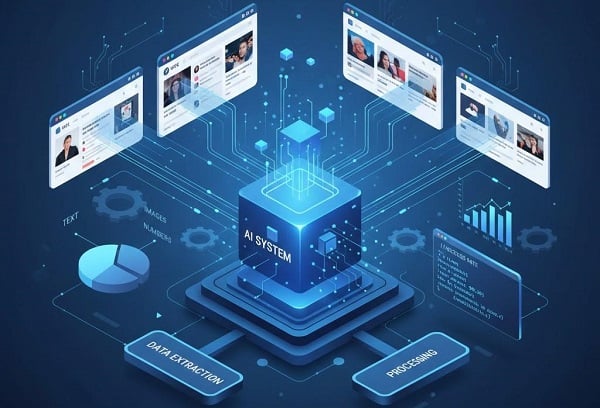
AI web scraping combines crawlers or recorders with LLM parsing to turn messy web pages into structured data.
Non-coder / marketer: Gumloop or Browse AI — point-and-click + Sheets integration for fast prototyping.
Ops / product / SMB: Parsera (Apify) — auto-selectors, scheduling, proxy support for reliable recurring runs.
Developer / data engineer: Firecrawl, Crawl4AI, or Scrapy-LLM — code + schema for scale, governance, and cost control.
AI web scraping involves (1) collecting HTML or JSON via a crawler or recorder, then (2) applying an AI layer—typically an LLM like GPT or Claude—to interpret layouts and extract structured fields. The goal: reduce brittle CSS/XPath maintenance, improve extraction accuracy on messy pages, and speed up new scrapers.
Three practical implementation patterns dominate:
1. Recorder / Visual point-and-click — record browser interactions and replay them (good for prototypes and monitoring). Example use: competitor price monitoring.
2. Prompt / Natural-language extraction — feed HTML/text to an LLM and request JSON output (fast for ad-hoc tasks; watch token costs).
3. Schema / Rule + LLM hybrid — define a field schema and use an LLM to map page nodes to fields (best for repeatable, validated pipelines).
Businesses often use scraped data for:
Market research: track competitor pricing and product availability.
Lead generation: collect business contact info and firmographics.
Content aggregation: summarize news, reviews, and user opinions.
SEO & analytics: track ranking, monitor SERP changes, and backlinks.
Product intelligence: aggregate reviews, ratings, and feature lists.
Terms of Service (ToS): Check the site's ToS before scraping; many sites prohibit automated collection. For enterprise use, consult legal counsel.
Personal data: If scraping names/contacts, document lawful basis (consent or legitimate interest) and perform a DPIA for EU users. Comply with GDPR/CCPA.
Robots.txt: Treat it as a strong signal; prefer API/data partnerships when available. Future tools will increasingly offer robots.txt enforcement features.
Rate limiting & politeness: Use backoff strategies and an abuse contact. Don’t overload servers.
Data retention & security: Minimize storing personal data; encrypt sensitive fields and limit retention.
When in doubt: Prefer APIs or direct data agreements.
| Persona | Goal | Best Approach | Why |
| Marketer / Non-Coder | Quick insights, low volume | Recorder / No-Code | Fast setup; minimal ops (e.g., Gumloop, Browse AI). |
| Ops / Business | Scheduled monitoring, moderate volume | Managed + Proxies | Scheduling, retries, proxy pools (e.g., Parsera + Apify). |
| Developer / Data Eng | Scale, governance, cost control | Code + Schema | Full control, local execution, lower costs (e.g., Firecrawl, Crawl4AI). |
1. Extraction method — recorder, prompt, or schema? Choose what matches your team's skillset.
2. Anti-bot/scale features — residential proxies & IP rotation(essential for high-volume scraping to avoid IP bans and maintain geo-coverage), captcha handling, stealth headers.
3. Integrations — Sheets, Airtable, DBs, webhooks, and scheduling (Apify is strong here).
4. Pricing model — per-page, credits, token usage; calculate cost per page for your workload.
5. Maintenance — auto-healing selectors? Alerts on drift?
6. Data quality & formats — JSON, CSV, multimedia, OCR support.
7. Compliance & security — logs, retention, access control, and data masking.
Always run a small, realistic sample (10–100 pages) and compute actual per-page cost and error rate before committing.
| Tool | Best for | Key strengths | Watchouts |
| Gumloop | No-code automations | Drag-drop workflows, LLM integrations, Sheets export | Credit model — test free tier |
| Browse AI | Monitoring & quick tasks | Browser recorder, change alerts, Chrome extension | Performance on complex sites |
| Parsera (Apify) | Scheduled enterprise workflows | Auto-infer selectors, proxies, scheduling/storage | Pagination/auto-heal varies by use |
| Firecrawl / ScrapeGraphAI | Prompt/schema extraction | Natural-language prompts → JSON | Per-page parse costs; watch volumes |
| Octoparse | Template-based at scale | Captcha & IP rotation, many templates | Learning curve; desktop + cloud options |
| Crawl4AI / Scrapy-LLM | Open-source developers | Local execution, model control, no per-page API fees | Engineering overhead; not plug-and-play |
A workflow automation canvas with a web-scraper node that integrates with LLMs and destinations (Sheets, Slack, DBs).
Key features: Drag-and-drop flows, pre-built connectors, LLM integrations for post-processing (summaries, enrichment).
Pros: Fast to prototype, good for teams that want end-to-end automations without engineering.
Cons: Credit-based pricing model — free starter credits but costs can rise with heavy LLM use.
Best use cases: Marketing intelligence, automated reporting, lightweight monitoring.
Integration tips: Use Gumloop to fetch pages, pass product nodes to an LLM for structuring, and write to Sheets/Airtable.
A browser recorder/robot platform that captures page interactions and monitors changes. Useful for setting up quick robots that run on a schedule.
Key features: Chrome extension recorder, automatic pagination in many cases, change alerts, webhooks.
Pros: Very low friction for non-developers; quick to set up monitoring alerts.
Cons: Complex sites with heavy JS may cause recording hiccups; pricing scales for heavy monitoring.
Best use cases: Competitor price monitoring, job listing scrapes, simple site change alerts.
Integration tips: Trigger a webhook to an LLM for change summarization or to a Gumloop workflow for downstream tasks.
An AI agent-style extractor that auto-infers selectors and plugs into Apify for scheduling, retries, and storage.
Key features: Selector inference, proxy support with many locations, Apify actor scheduling and storage.
Pros: Low maintenance for recurring jobs; enterprise features like retrying and logging.
Cons: Pagination and certain edge cases may need manual tweaking; feature parity varies by target site.
Best use cases: Recurring price/availability pipelines, enterprise monitoring where scheduling and logging matter.
Integration tips: Use Parsera to fetch & structure, then Apify actors to orchestrate complex workflows and store results in cloud storage or DB.
Prompt or schema-based extractor designed to convert crawled pages into LLM-ready structured data (JSON, Markdown). Often used in developer pipelines.
Key features: Accepts natural-language prompts or schemas, multi-page crawling support, outputs consumable JSON.
Pros: Powerful for prototyping natural-language extraction and building LLM-ready datasets.
Cons: Parsing via LLM can be per-page-costly at scale; technical setup may be required for optimized crawling.
Best use cases: Product catalog extraction for RAG/semantic apps, prototype R&D for new data models.
Integration tips: Pre-extract relevant node HTML to reduce tokens; batch parse to lower per-item cost.
A tool positioning as accurate prompt/schema extraction with clear docs and natural-language prompts.
Key features: Schema-driven extraction with good docs and JSON outputs.
Pros: Accurate mapping for many page types; good documentation reduces onboarding time.
Cons: Higher costs at scale vs. simpler scrapers.
Best use cases: High-accuracy data extraction for analytics dashboards.
Integration tips: Combine with smaller LLM models for routine fields and reserve larger models for ambiguous pages.
A veteran template-based scraper with desktop and cloud options, strong on proxy and captcha handling.
Key features: IP rotation, captcha solving integrations, many pre-built templates.
Pros: Handles a lot of anti-bot requirements out of the box; mature feature set for scale.
Cons: Desktop/cloud mode split complicates some workflows; steeper learning curve.
Best use cases: High-volume scraping with known templates and anti-bot needs.
Integration tips: Use Octoparse cloud for heavy runs and pipeline outputs to a DB for downstream LLM parsing.
Playwright-based, open-source crawler focused on local model parsing and developer flexibility.
Key features: Run locally, integrate local LLMs or remote APIs, complete control over crawling strategy.
Pros: No vendor API costs for parsing (if using local models); full control and privacy.
Cons: Python-centric and requires engineering effort to manage scale and infra.
Best use cases: Privacy-sensitive projects and teams with engineering resources.
Integration tips: Use Crawl4AI for regulated data needs or to test local LLM parsing before committing to cloud costs.
A library/extension that helps Snappy integrate LLMs into Scrapy workflows for parsing.
Key features: Use LLMs to parse or validate scraped items inside Scrapy pipelines.
Pros: Combines Scrapy’s crawling power with LLM parsing flexibility; good for engineers.
Cons: Can be slower and requires tuning; depends on external LLM APIs or local models.
Best use cases: Developers wanting to augment existing Scrapy spiders with LLM-driven field extraction.
Scope: 1,000 product/listing pages sharing the same template.
1. Pick a tool. No-code: Gumloop or Browse AI. Managed: Parsera + Apify. Dev: Crawl4AI.
2. Collect 10 representative sample URLs. Make sure they include edge cases (sale badges, missing prices, variants).
3. Run a 10-page test. Extract basics (title, price, currency, availability, image URL). Inspect outputs.
If inconsistent → switch to schema mode or refine recorder actions.
4. Add anti-bot basics. Use polite rate limits; stagger requests and use a relaible rotating proxy service (residential or mobile proxies) to reduce blocks and captchas — this often converts a fragile POC into a reliable pipeline.
5. Integrate outputs. Export to Google Sheets/Airtable or a staging DB. Validate the schema.
6. Schedule & monitor. Set daily/weekly runs and alert on failure (>5% error).
7. Validate & iterate. Sample 50 rows per run; measure completeness & numeric accuracy. If completeness <95%, pause and fix.
8. Scale carefully. Move to a developer stack if cost or reliability requires it.
Hallucinations: Use schema prompts, strict JSON output requirements, and validation checks.
Layout drift: Use auto-healing or quick repair scripts; maintain a repair playbook.
Hidden costs: Free tiers are for prototyping — forecast at scale (per-million page comparisons help).
Anti-bot escalation: If blocked frequently, upgrade proxies/fingerprint strategies or move to backend crawling with Playwright + proxy pools.
To make AI web scraping truly helpful:
Start Small: Test public sites with free tiers.
Handle Challenges: Use proxies; respect limits.
Legal Essentials: Review ToS; public data only. Stealth modes help.
Integration Ideas: Pipe data to LLMs for sentiment analysis.
Avoid Mistakes: Clean data—verify samples for hallucinations.
Beyond the List: Crawl4AI for privacy; Scrapy-LLM for precision.
Hybrid tools win: Recorder + schema + LLM combos will reduce hallucination and maintenance.
Cheaper parsing: More granular, cheaper LLM parsing models and page-credit systems will emerge.
Anti-scraping arms race: Improved defenses mean proxies & stealth features become essential.
Compliance features: Expect vendor features like robots.txt enforcement, data masking, and audit trails as regulations tighten.
RAG & vector integrations: More teams will pipe scraped data into vector DBs for real-time chatbots and retrieval-augmented apps.
Q: Can ChatGPT scrape websites?
A: Not directly. ChatGPT can parse HTML you provide, but you need a scraping engine or recorder to fetch pages at scale. Use tools that integrate LLMs for parsing.
Q: Is AI web scraping legal?
A: It depends. Respect ToS, avoid personal data without lawful basis (GDPR/CCPA), and implement rate limits and an abuse contact. Consult legal counsel for enterprise projects.
Q: How much will AI parsing cost?
A: It varies widely. Small POCs often fit free tiers; for large volumes, forecast per-page parse cost + proxies + storage. Always run a 100-page pilot to estimate your real cost.
Q: Do I need proxies for AI web scraping?
A: If you run more than a few hundred requests or need geo-specific data, yes — rotating residential proxies or rotating mobile proxies dramatically reduce blocks and data gaps.
AI web scraping empowers marketers to prototype code-free, businesses to automate, and engineers to scale. Choose based on volume and maintenance needs—start small, validate, and plan ahead.
< Previous
Next >


 Cancel anytime No credit card required