
Snapchat Proxy: 2026 Setup, Types & Use Cases
Learn what a Snapchat proxy is, which type fits your use case, and how to set it up safely on Android, iPhone, Windows, or browsers.
Apr 20, 2026



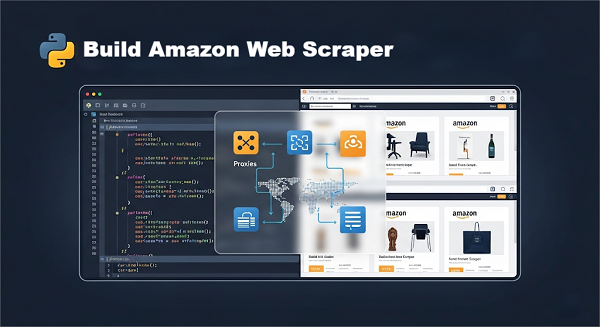
Step-by-step Amazon web scraper tutorial using Python & GoProxy—covering proxy setup, geotargeting, headless fallback, and scaling.
Scraping Amazon for product data—like prices, reviews, and ratings—can unlock powerful insights for e-commerce sellers, marketers, and data enthusiasts. However, users often worry about legality, getting blocked, or the technical know-how required.
Before diving into complex pipelines, we begin with a minimal 4-step scraper. This helps you understand the fundamental building blocks—HTTP requests, CSS selectors, parsing, and data saving—so every later enhancement (proxies, headless fallback, distributed jobs) builds on solid ground.
Public data scraping isn’t illegal but breaks Amazon’s Terms of Service → risk IP/account blocks
Thresholds: < 200 requests/day/uniform IP usually safe; > 1,000 almost guarantees blocks
1. Price Monitoring: 50–100 ASINs hourly
2. Review Analysis: Sentiment from thousands of reviews
3. Stock Alerts: Restock notifications
4. Competitive Intelligence: Best‑seller rank & ratings
90 M+ residential IPs in 200+ locations all around the world
Rotating vs. sticky sessions(up to 60min); free country/city-targeting
Helps you avoid IP bans and CAPTCHAs
You’ll see how to fetch a page through GoProxy, inspect HTML, parse key fields, and save results—forming the core loop of any scraper.
Prepare your local environment and obtain GoProxy credentials.
1. Create & activate a virtual env
bash
python3 -m venv venv
source venv/bin/activate # macOS/Linux
venv\Scripts\activate # Windows
pip install requests beautifulsoup4 lxml pandas
2. Sign up at GoProxy and choose a rotating residential proxy plan, then copy your Bearer token from the dashboard.
Each request appears from a fresh, real-residence IP, dramatically reducing blocks.
High-level algorithm:
1. Call GoProxy’s API to generate a rotating proxy endpoint.
2. Configure requests to use that endpoint.
3. Retry on failure with exponential back‑off
python
import requests, random, time
USER_AGENTS = ["Mozilla/5.0 (Windows NT 10.0; ...)", /* more */]
API_KEY = "YOUR_GOPROXY_BEARER_TOKEN"
API_BASE = "https://api.goproxy.com/v1"
def get_proxy_endpoint(country=None):
headers = {"Authorization": f"Bearer {API_KEY}"}
body = {"session_type":"rotating"}
if country:
body["country"] = country
resp = requests.post(f"{API_BASE}/endpoints:generate", json=body, headers=headers)
resp.raise_for_status()
return resp.json()["endpoint"] # e.g. "user:[email protected]:7890"
def fetch_page(url):
endpoint = get_proxy_endpoint()
proxies = {"http": f"http://{endpoint}", "https": f"http://{endpoint}"}
headers = {"User-Agent": random.choice(USER_AGENTS), "Accept-Language": "en-US"}
for attempt in range(3):
try:
r = requests.get(url, headers=headers, proxies=proxies, timeout=15)
r.raise_for_status()
return r.text
except:
time.sleep(2 ** attempt)
return ""
Learn to map HTML elements to the data you need. Open the URL in a browser, right-click, and select “Inspect” (F12). Look for:
Beginners: Practice clicking elements and noting their selectors; they may change, so always verify.
python
from bs4 import BeautifulSoup
import re
def parse_product(html):
soup = BeautifulSoup(html, "lxml")
get = lambda sel: (soup.select_one(sel).get_text(strip=True) if soup.select_one(sel) else "N/A")
data = {
"title": get("#productTitle"),
"price": get(".a-price .a-offscreen"),
"rating": get(".a-icon-star span"),
"reviews": get("#acrCustomerReviewText"),
"image": (re.search(r'"hiRes":"([^"]+)"', html) or ["","N/A"])[1]
}
return data
# Test
print(parse_product(fetch_page("https://amazon.com/dp/B0BSHF7WHW")))
Next: We’ll expand this to crawl entire search results and review pages.
Automate data collection beyond one product—crawl listings and customer reviews for broader insights.
python
def scrape_search(keyword, pages=2):
"""Collect product URLs from search results."""
results = []
for p in range(1, pages+1):
url = f"https://amazon.com/s?k={keyword}&page={p}"
html = fetch_page(url)
soup = BeautifulSoup(html, "lxml")
for a in soup.select(".s-result-item h2 a"):
results.append("https://amazon.com" + a["href"].split("?")[0])
time.sleep(1)
return results
# Example
urls = scrape_search("wireless+earbuds", pages=2)
python
def scrape_reviews(asin, pages=2):
"""Extract ratings, text, and dates from reviews."""
reviews = []
for p in range(1, pages+1):
url = f"https://amazon.com/product-reviews/{asin}/?pageNumber={p}"
html = fetch_page(url)
soup = BeautifulSoup(html, "lxml")
for r in soup.select(".review"):
reviews.append({
"rating": r.select_one(".a-icon-alt").get_text(strip=True),
"text": r.select_one(".review-text-content span").get_text(strip=True),
"date": r.select_one(".review-date").get_text(strip=True)
})
time.sleep(1)
return reviews
# Example
print(scrape_reviews("B0BSHF7WHW", pages=2))
Integrate geotargeting, handle JavaScript‑heavy pages, scale to hundreds of ASINs, and orchestrate distributed crawls with proven reliability.
python
# Generate a US-only proxy endpoint
us_ep = get_proxy_endpoint(country="US")
proxies = {"http": f"http://{us_ep}", "https": f"http://{us_ep}"}
html_us = requests.get("https://amazon.com/dp/B0BSHF7WHW",
headers={"User-Agent": random.choice(USER_AGENTS)},
proxies=proxies).text
You can also specify "regions", "cities", or "postal_code" in the POST body to fine-tune location.
python
def fetch_with_fallback(url):
html = fetch_page(url)
if not html or "captcha" in html.lower():
# Fallback to Playwright when proxies alone can’t render
from playwright.sync_api import sync_playwright
with sync_playwright() as pw:
b = pw.chromium.launch()
p = b.new_page()
p.goto(url, timeout=30000)
html = p.content()
b.close()
return html
Case Study
A U.S. retailer scraped Buy Box prices every 30 minutes across 5 markets.
Before: Basic proxies → 72% success, 200+ manual retries/day.
After: GoProxy rotating IPs + geotargeting + headless fallback → 98% success, 20 manual retries/day.
Full blog here → Case Study: Automating 98% Reliable Amazon Buy Box Scraping with GoProxy
python
import csv, random, time
asins = open("asins.txt").read().split()
with open("alerts.csv","w",newline="") as f:
w = csv.DictWriter(f, fieldnames=["asin","price","time"])
w.writeheader()
for a in asins:
data = parse_product(fetch_with_fallback(f"https://amazon.com/dp/{a}"))
w.writerow({"asin":a,"price":data["price"],"time":time.time()})
time.sleep(random.uniform(1,3))
Task Queues: Use RabbitMQ/Redis to parcel out ASIN jobs.
Scheduler: Cron or Apache Airflow DAGs for automated runs.
Serverless: AWS Lambda + GoProxy + S3 for near-zero ops overhead.
Residential IP Rotation: GoProxy’s 90 M+ IP pool evades blocks.
User-Agent Cycling: Rotate 20+ real browser strings each request.
Throttling: Sleep 1–4 s; honor robots.txt crawl-delay.
Stay Logged Out: Always scrape public pages.
Volume Limits: Aim for ≤ 1,000 requests/day/IP.
1. CSV Prototyping: Quick checks with pandas.
2. SQL Databases: PostgreSQL/MySQL for relational analysis.
3. NoSQL Stores: MongoDB for flexible review/spec documents.
4. Cloud Storage: AWS S3 for raw HTML/JSON backups.
5. Visualization: Grafana or Power BI dashboards for real‑time insights.
Public scraping isn’t illegal, but breaches Amazon’s TOS—expect IP/account bans, not lawsuits.
Under ~200 req/day/IP seldom triggers blocks; above ~1,000 almost guarantees them.
Log parsing failures. Update CSS selectors or use regex fallbacks.
Use GoProxy’s IP pool and hybrid headless fallback. Consider an external CAPTCHA solver.
Log full HTML of failures to disk and inspect manually in your browser.
You’ve journeyed from a simple 4-step scraper to a production-grade pipeline: geotargeting, hybrid headless fallback, high-volume alerts, and distributed scheduling—backed by GoProxy’s vast residential IP network. Next, explore ML-driven sentiment analysis and real-time dashboards to stay ahead of Amazon’s evolving defenses.
< Previous
Next >


 Cancel anytime No credit card required